Axi Account Types: Standard vs Premium vs Elite Compared (Nov 2026)
Axi has three accounts, Standard, Premium and Elite. Not sure which one fits how you trade?
It comes down to commission and deposit size. Only Standard is commission-free, and one lot of EURUSD costs roughly 6.8 USD on Standard, 4.5 USD on Premium and 3.5 USD on Elite.
Using Axi's official account page and help center (checked November 13, 2026), we also cover the Elite requirements and when an account can be converted rather than added.
Key takeaways
- Axi's three accounts differ in spread, commission and recommended minimum deposit, while leverage and minimum lot are shown the same.
- Using the official figures, EURUSD 1 lot costs 6.8 USD on Standard, 4.5 USD on Premium and 3.5 USD on Elite.
- Elite requires a $25,000 deposit, and Standard's recommended minimum deposit is shown as both $100 and $5.
Summary: the main differences between Axi account types
- Only Standard is commission-free. EURUSD is 0.68 pips, with the cost built into the spread
- Premium and Elite have a 0 pip spread plus a $4.5 or $3.5 round-trip commission. One EURUSD lot costs about 6.8 USD on Standard, 4.5 USD on Premium and 3.5 USD on Elite
- Elite requires a $25,000 deposit before you ask an account manager. Standard suits small lots; Premium suits higher volume
Axi account types compared: spreads and commissions
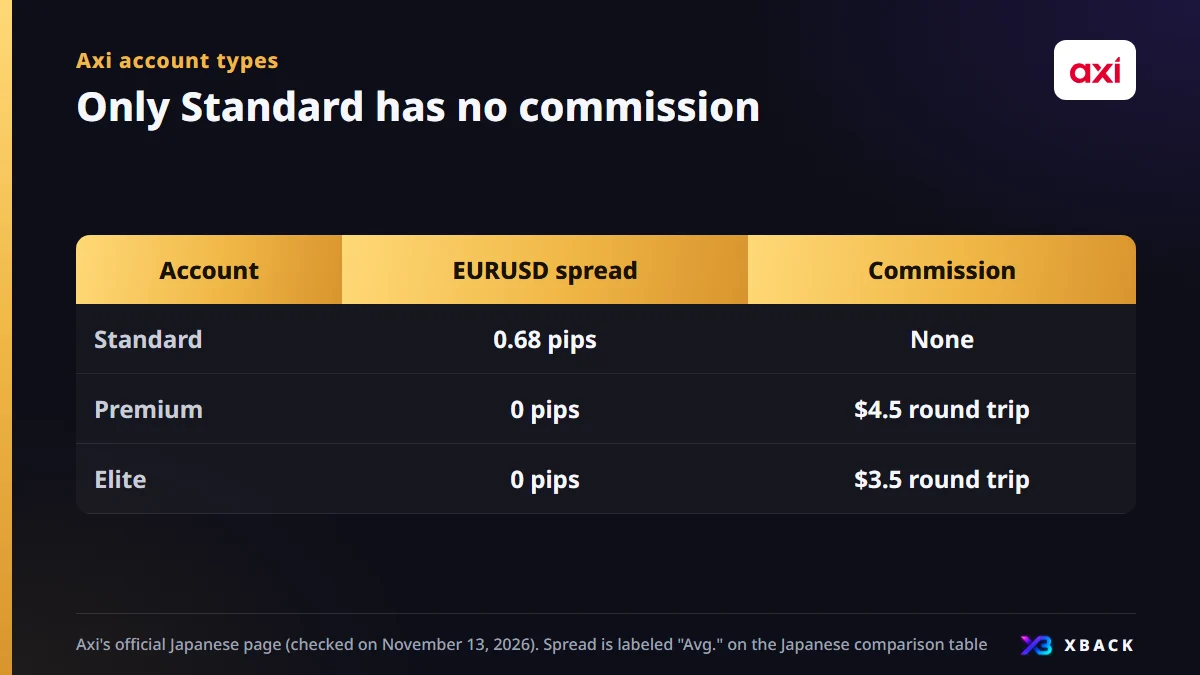
The Japanese account page lists three accounts: Standard, Premium and Elite. The table below organizes what the account cards and the comparison table show.
| Account | EURUSD spread | Trading commission | Recommended minimum deposit |
|---|---|---|---|
| Standard | 0.68 pips | None | $100 (account card) / $5 (comparison table) |
| Premium | 0 pips | $4.5 round trip | $100 (Japanese page) / both $100 and $500 within the help pages |
| Elite | 0 pips | $3.5 round trip (Japanese page) | $25,000 |
These are "recommended" amounts, not stated as hard minimums. Standard shows a different figure on the card and in the comparison table, and the help center lists both $100 and $500 for Premium. Check what your client portal shows before you fund.
The other differences are the account currencies on offer and the GOLD spread: 16 cents on Standard and 9 cents on Premium and Elite, per the official page. Premium, Elite and Swap-Free availability depends on where you live and other requirements.
On the official fees page, the accounts are called "Standard account" and "Pro account." The page does not state whether the Pro account is the same as Premium.
The Japanese page names the operating company as AxiTrader LLC, incorporated in Saint Vincent and the Grenadines. Check which entity is shown on your own registration screen.
Cost difference between Standard and Premium: EURUSD 1 lot example
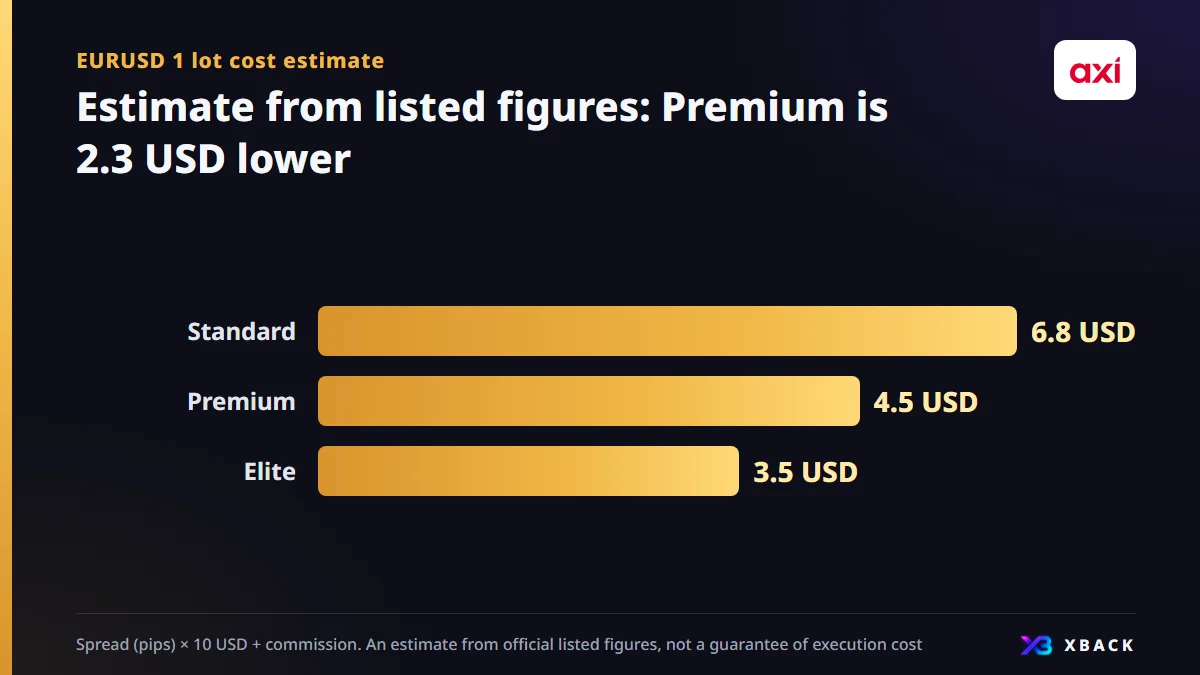
The cost estimate is spread (pips) × 10 USD + commission. For EURUSD 1 lot (100,000 units), 1 pip is 10 USD, assuming a USD account.
| Account | Spread cost | Commission | Estimated total |
|---|---|---|---|
| Standard | 0.68×10 = 6.8 USD | None | 6.8 USD |
| Premium | 0×10 = 0 USD | 4.5 USD | 4.5 USD |
| Elite | 0×10 = 0 USD | 3.5 USD | 3.5 USD |
If these figures hold, the difference between Standard and Premium is 2.3 USD per 1 lot and 23 USD per 10 lots. The difference between Premium and Elite is 1 USD per 1 lot, but this is an estimate based on the listed figures.
For costs at different trade sizes, and estimates based on the minimum spread (from 0.7 pips), see Axi spreads and commissions.
Axi Elite requirements: a $25,000 deposit and an account manager
- If you already have an account, you do not need to open a new one. Deposit $25,000 USD (or equivalent) into the existing account and ask your account manager for onboarding (official help)
- Conditions differ by region. In some regions, the condition is maintaining a $25,000 USD balance or a monthly trading volume of $50 million USD
- The help says there are no additional fees or subscription charges to join
- The benefits are commissions up to 50% lower than Premium (with a footnote that the standard trading commission applies) and 24-hour multilingual priority support. The listed $3.5 is about 22% lower than $4.5, so it is not necessarily 50% lower
- The eligible account types are Premium and Swap-Free (USD)
- Whether you can link to a partner depends on your country of residence and local regulations. Whether you can apply for Elite also differs by residence
- Elite is listed on the account page, but Axi does not say which countries can apply (checked November 13, 2026)
The Elite conditions have different update dates across help articles. Before applying, ask your account manager for the latest conditions.
Conditions shared by all accounts: platform, lot size and stop out
- Platform: MT4 and MT5 for both Standard and Premium (official help). The Japanese page also lists the Axi Trading Platform, but we could not confirm which accounts support it
- Minimum lot: 0.01 lot. The maximum, per the official help (trade size), is 100 lots for major pairs, 50 for minors and 20 for exotics (it varies by instrument; we have not checked it against the per-instrument limits in the product schedule)
- Maximum leverage: the Japanese page shows up to 1000:1 for all three accounts. The help says it differs by country of residence and advises checking with the support team
- Changing leverage: in the client portal, go to My Account, then Trading Accounts, then Change Leverage. The option is not available in every region or on every account type (official help, checked November 10, 2026)
- Leverage around news: the help says "no limit is applied," while the product schedule mentions high margin requirements (such as 200:1 for FX). The official pages disagree with each other
- EAs: compatible on all three accounts. Hedging is allowed on MT4 and MT5 (not on the Axi Trading Platform). High-frequency trading is not allowed, and trades judged to be latency arbitrage are cancelled
- Short-term trading: allowed on the standard platforms (not on Axi Select). We could not find the word "scalping" in the official documents
- Stop out: the margin level is 20% on MT4 and MT5 for all accounts and 50% on the Axi Trading Platform. A margin call notice arrives when it falls below 100%
- Execution speed: the help says it does not change by account type
Holding fees and how to apply for a swap-free account are covered in Axi swap-free account.
Changing account type depends on "conversion" or "an additional account"
- "Can I change my account type?": the short version of the explanation, which describes switching between Standard and Premium not as changing the existing account but as an additional account via "Add New Account"
- "How do I switch account types?": the detailed version, which says that if the desired type is available on the same server, the existing account can be converted, and if the server differs, it cannot be converted and an additional account is needed. You ask customer support
- If Premium does not appear as an option, the help says that type is not currently available to you
- You apply for an additional account from the client portal. If identity verification is not complete, the option to add one is not shown
- The help says a new account under an account linked to an IB inherits the same relationship, but for the partner route it advises checking first whether the desired account type is supported
- Linking to an IB cannot be guaranteed even when you change or add an account type. The procedure XB confirmed (as of November 6, 2026) is to ask Axi support for Partner Tagging (1 to 2 business days); if you already have an account, ask XB on LINE
- Opening a live account is free, and you can choose the base currency
Choosing by trading style, and cashback
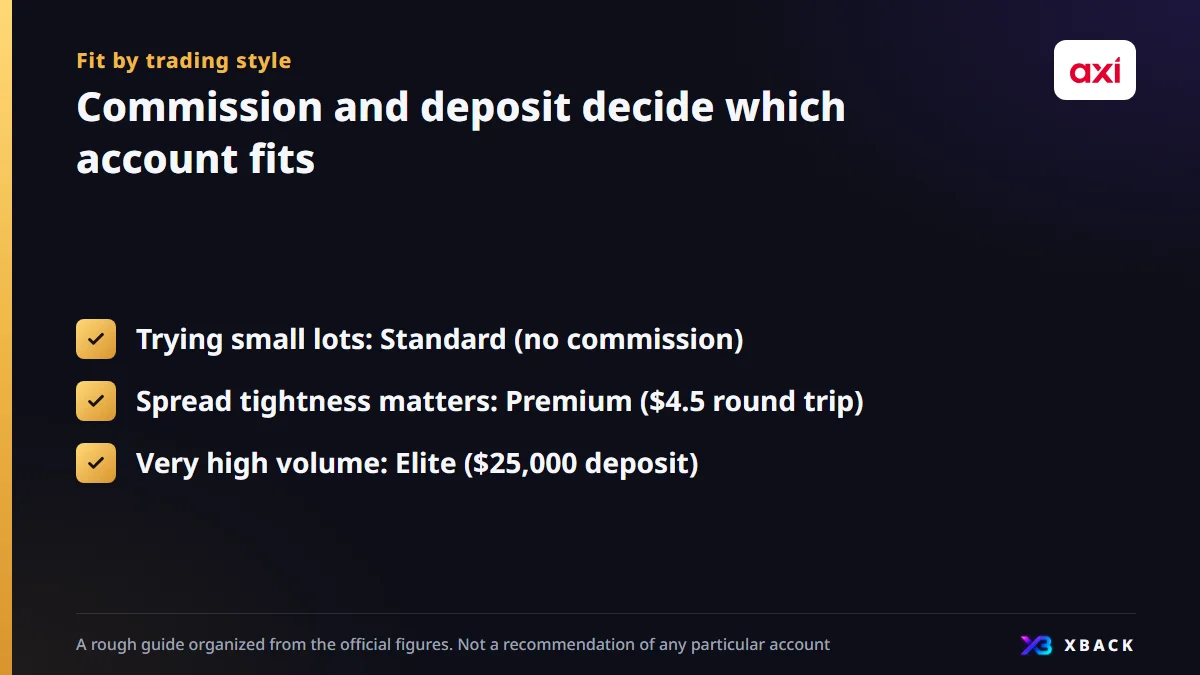
| Trading style | Account that may suit | Reason (from the official figures) |
|---|---|---|
| Trying small lots | Standard | No commission. EURUSD is 0.68 pips |
| High volume, spread tightness matters | Premium | 0 pip spread + $4.5 round trip |
| Large size, very high volume | Elite | Requires a $25,000 deposit. Commission is $3.5 round trip |
Whichever account you choose, it is safer to test operation and execution on a demo account first. However, the official help says slippage is not reproduced on demo.
XB has not opened cashback sign-ups for Axi yet. We will post the amount on the broker page when they open. Axi's help center notes that some account types may not qualify for the full rebate, without naming them.
See the conditions for each Axi account type on our broker page.
View Axi account typesFAQ
Q.How many account types does Axi have?
The official Japanese page (checked on November 13, 2026) lists three accounts: Standard, Premium and Elite. The help center also mentions region-limited Swap-Free and USD Cent accounts, whose availability depends on where you live.
Q.What is the difference between Axi Standard and Premium?
Standard has no commission and EURUSD is 0.68 pips, while Premium has a 0 pip spread and charges a $4.5 round trip commission. Maximum leverage, minimum lot and EA compatibility are shown the same. The help says Premium is for customers in some Asian countries who meet the requirements.
Q.What are the Axi Elite requirements?
In the official help, you deposit $25,000 USD and ask your account manager. In some regions, the condition is maintaining a $25,000 balance or a monthly trading volume of $50 million. Eligibility to apply also depends on where you live.
Q.What is the minimum deposit for each Axi account type?
The recommended minimum deposit on the Japanese page is $100 for Premium and $25,000 for Elite. Standard is $100 on the account card and $5 on the comparison table. Premium also shows both $100 and $500 within the help. Check the minimum for each deposit method in the official portal.
Q.What is Axi's maximum leverage?
The Japanese page shows up to 1000:1 on all three accounts. That is a ceiling, and it varies by country of residence. At 1000:1, a 0.1 lot EURUSD position at 1.1000 needs 11,000 / 1000 = 11 USD of margin. You can change leverage in the client portal, but not every account offers the option.
Q.Can I change my Axi account type later?
The short version of the official help describes switching between Standard and Premium as applying for an additional account. The detailed version says an existing account can be converted if the server is the same, and an additional account is needed if it differs. Confirm which applies with customer support.
Sources
- Axi Trading Accounts (official, Japanese) (checked 2026-11-13)
- Axi Fees & Charges (official, Japanese) (checked 2026-11-13)
- Axi MT4/MT5 Product Schedule (official PDF) (checked 2026-11-13)
- Axi Help (Standard vs Premium) (checked 2026-11-13)
- Axi Help (What is a Premium account) (checked 2026-11-13)
- Axi Help (Elite eligibility) (checked 2026-11-13)
- Axi Help (Applying for Elite) (checked 2026-11-13)
- Axi Help (Elite benefits) (checked 2026-11-13)
- Axi Help (Changing account type) (checked 2026-11-13)
- Axi Help (Switching account types) (checked 2026-11-13)
- Axi Help (Opening an additional account) (checked 2026-11-13)
- Axi Help (Stop out) (checked 2026-11-13)
- Axi Help (Permitted trading strategies) (checked 2026-11-13)
- Axi Help (Maximum leverage) (checked 2026-11-13)
- Axi Help (Trade size) (checked 2026-11-13)
- Axi Help (Demo account) (checked 2026-11-13)
- Axi Help (Changing leverage) (checked 2026-11-10)

This article is for information purposes only and is not investment advice. Conditions may change, so please check each broker's official page for the latest information. Offshore FX and CFD trading carries a risk of losses exceeding your principal.