XS Cent Account: USC Currency, MT5 Only, Conditions and Cautions
You may have heard that the XS cent account shows your balance in cents, but is it unclear how many cents $100 becomes and how it differs from a regular account?
When we checked the official pages on November 12, 2026, the cent account had USC as its account currency, was MT5 only, and covered only FX and metals.
This article sorts out the trading conditions, how to read the cent display and the cautions, using only what the official pages state.
Key takeaways
- The XS cent account uses USC as its account currency, and a $100 deposit shows as 10,000 cents.
- MT5 only, no demo, and only FX and metals as official products; the stop out is 10% (checked Nov 12, 2026).
- Read the minimum 0.01 lot in cent-lot units, and 1 pip on EURUSD is 0.1 cent, which you can check under "Specification..." in MT5.
In short: the XS cent account is USC-denominated, MT5 only and has no demo
- The account currency is USC. A $100 deposit shows as 10,000 cents, and both balance and trading are shown in cents
- There is no minimum deposit limit, although the actual lower limit is set by each funding method
- The only platform is MT5; MT4 cannot be used
- Products are limited to foreign exchange (FX) and metals, and no demo account is offered
- The stop out level is 10%, lower than the 20% of Standard and Pro
Trading conditions of the XS cent account
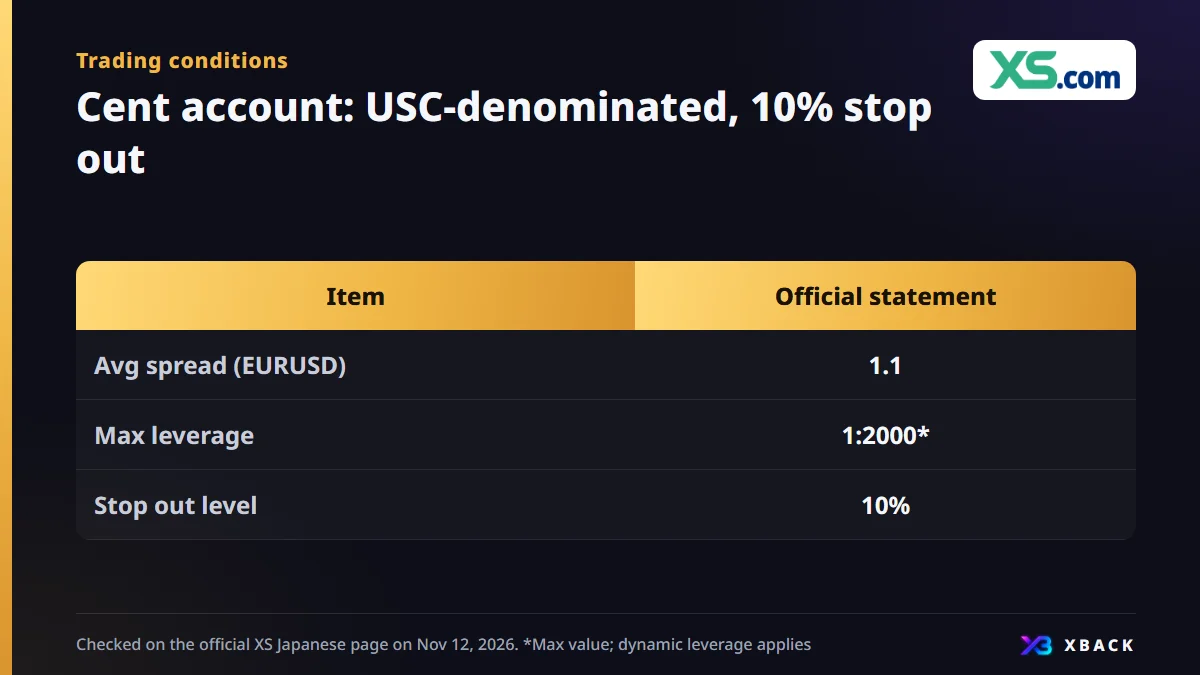
The cent account specifications listed on the official Japanese page are as follows. The average spread is the value the official page publishes for EURUSD.
| Item | Official statement |
|---|---|
| Average spread (EURUSD) | 1.1 |
| Trading commission | Free |
| Maximum leverage | 1:2000* |
| Margin call level | 40% |
| Stop out level | 10% |
| Account currency | USC |
| Platform | MT5 only |
| Minimum deposit | No limit |
Swap-free also applies, but each symbol has a grace period. For example, EURUSD has 10 days, USDJPY 2 days and XAUUSD 5 days, and normal swaps are charged once the grace period has passed.
How to read the XS cent display and calculate 1 pip
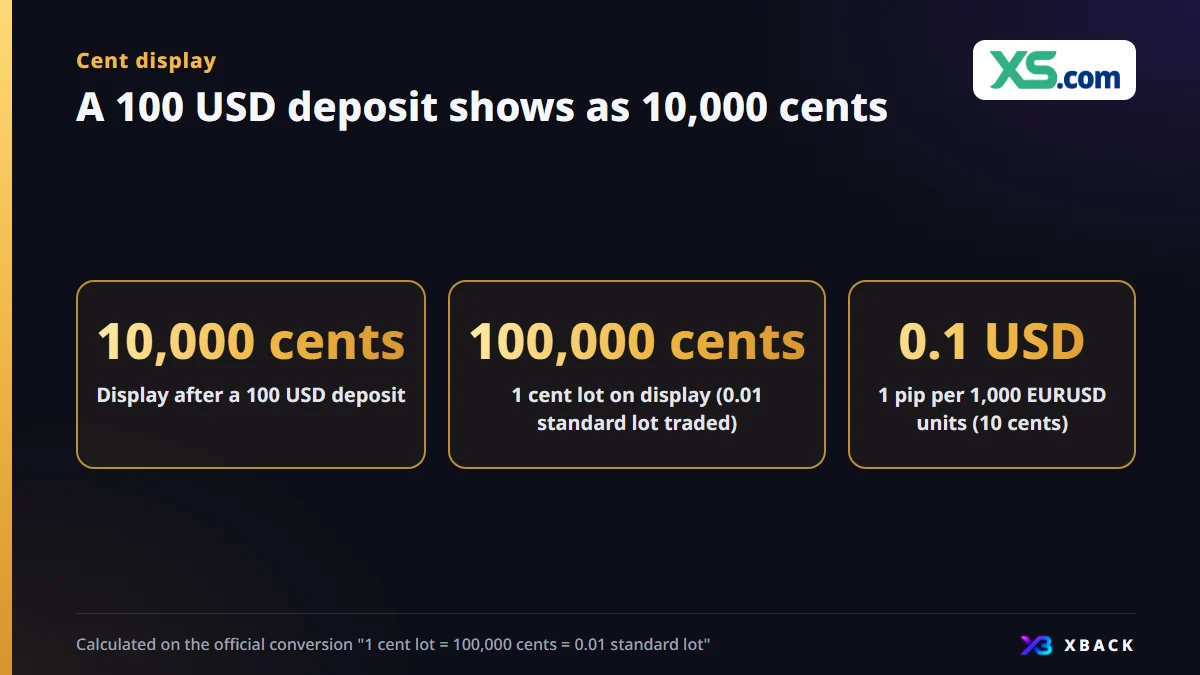
The official page says "1 cent lot = 100,000 cents = 0.01 standard lot". If you deposit $100, the account shows 10,000 cents.
Based on this conversion, 1 cent lot is 100,000 cents, which is 1,000 USD. This is a conversion of the account display; in the official explanation the trade size corresponds to 0.01 standard lot. When you trade 1,000 units of EURUSD, 1 pip is 1,000 units × 0.0001 = 0.1 USD (10 cents).
- A 100 USD deposit is 10,000 cents (1 USD = 100 cents)
- 1 cent lot is 100,000 cents (1,000 USD) on the account display. The trade size is 0.01 standard lot in the official explanation
- Per 1,000 units of EURUSD, 1 pip is 0.1 USD (10 cents)
- 1
Check the contract size in the comparison table
XS's official comparison table lists the cent account's contract size as "Standard Cent (100,000) USC" and its minimum lot as 0.01.
- 2
Work out the minimum lot in cent lots
Read 0.01 as cent lots and it is one hundredth of a cent lot. On EURUSD, 1 pip is then worth 0.1 cent (0.001 USD).
- 3
Confirm it in MT5's specification window
In MT5's Market Watch, right-click the symbol and open "Specification..." to see the contract size and minimum volume. Check the unit there before you place an order.
Differences between XS Cent and Standard accounts
Compared with Standard, the cent account differs in account currency (USC versus USD/JPY), stop out (10% versus 20%), MT4 support, demo availability and the range of products.
For a full comparison of all accounts, see how to choose an XS account type.
The official page describes the cent account as "the only account type that uses cent lots". Because the balance is shown in a different unit, align the units when you compare numbers with other accounts.
Five cautions for the XS cent account
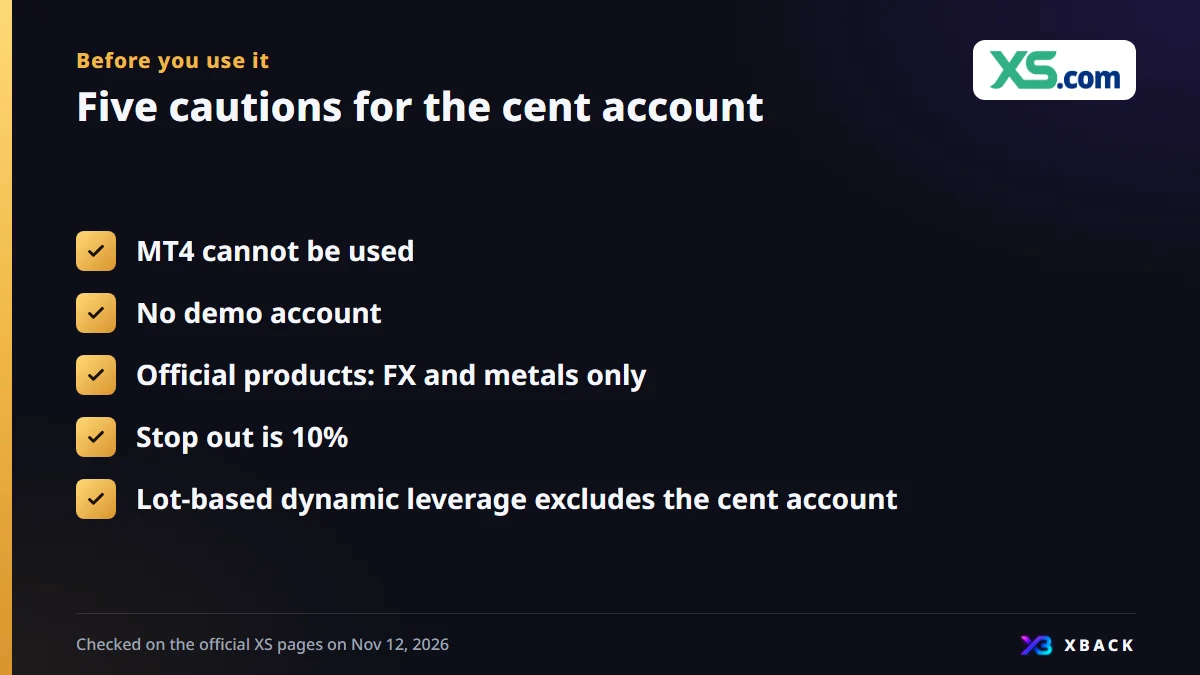
- MT4 cannot be used. You trade on MT5 only
- There is no demo account. Check the conditions with small live trades or with a demo of another account type
- The official products are FX and metals only
- The stop out is 10%. Even if you keep lots small, balance swings can bring you close to that level
- The official page states that lot-based dynamic leverage excludes the cent account
Which dynamic leverage applies to the cent account is not stated in the official account list and is under review. The cent account is also not included in the list of eligible accounts for Trading Miles.
Moving from the XS cent account to a Standard account
The official help states that an existing account type and base currency cannot be changed. If you want to use another type, you open a new account additionally from the client area.
- The official help only covers opening a new account. How to move your balance is not stated officially
- The official table states a maximum of 10 accounts per account type
- The Standard account has no minimum deposit limit and supports MT4 and MT5
For how costs change once you move, see XS spreads, which breaks them down by account.
Account types and the sign-up flow are on the XS broker page. XB cashback amounts are in the cashback rates list there (Cent covers a limited set of instruments).
See XS detailsFAQ
Q.How big is a 0.01 lot on the XS cent account?
XS's comparison table lists the cent account's contract size as "Standard Cent (100,000) USC" and the minimum lot as 0.01. Read in cent lots, that is one hundredth of a cent lot, so 1 pip on EURUSD is 0.1 cent. Confirm the contract size and minimum volume in MT5's "Specification..." window.
Q.Can I switch an XS cent account to a Standard account?
No. Account types cannot be changed, so you add a Standard account from the client area. XS does not say how to move your balance across (checked November 12, 2026).
Q.Can the XS cent account be used on MT4?
No. The official page says MT5 only. Products are limited to FX and metals, and no demo account is offered.
Q.What is the stop out level of the XS cent account?
It is 10%. The official page states the margin call as 40%. Standard and Pro have a 20% stop out, so the cent account is set lower.
Sources
- XS official page "Cent Account" (checked 2026-11-12)
- XS official page "Account Types" (checked 2026-11-12)
- XS official page "Lot-Based Dynamic Leverage" (checked 2026-11-12)
- XS official page "Swap-Free Accounts" (checked 2026-11-12)
- XS official help "Upgrading or Downgrading Account Type" (checked 2026-11-12)
- XS official page "XS Trading Miles" (checked 2026-11-12)
- XS official help "Account Types and How to Choose" (checked 2026-11-12)
- XS official page "Account Opening (Registration)" (checked 2026-11-12)
- XS official page "Legal Documents" (checked 2026-11-12)
- XS official page "Funding Methods" (checked 2026-11-12)

This article is for information purposes only and is not investment advice. Conditions may change, so please check each broker's official page for the latest information. Offshore FX and CFD trading carries a risk of losses exceeding your principal.