HFM Demo Account: How to Open, Expiry and Differences from Live
Want to try an HFM demo account but not sure where to open it or how long it lasts?
HFM's official demo account page (checked November 11, 2026) describes unlimited use, a virtual balance of up to 100,000 USD, and trading on MT4, MT5 and WebTrader.
Below are the opening steps, how to log in on MT5, and how a regular demo differs from the account used in HFM's prize demo contest.
Key takeaways
- HFM's official demo page describes unlimited use and a virtual balance of up to 100,000 USD.
- Create the demo account in the myHF area; you can trade on MT4, MT5 and WebTrader.
- In MT5, log in from "File" then "Login to Trade Account". XB cashback does not apply to demo accounts.
In short: what you can do with an HFM demo account
- HFM's official page says the demo account has “unlimited use”
- The virtual opening balance goes up to 100,000 USD
- You can trade on MT4, MT5 and WebTrader
- New users register a myHF account first, then create the demo. Existing users log in to myHF and add one
- The demo contest account is separate: 10,000 USD starting balance, fixed 1:200 leverage, archived at month end
How to open an HFM demo account
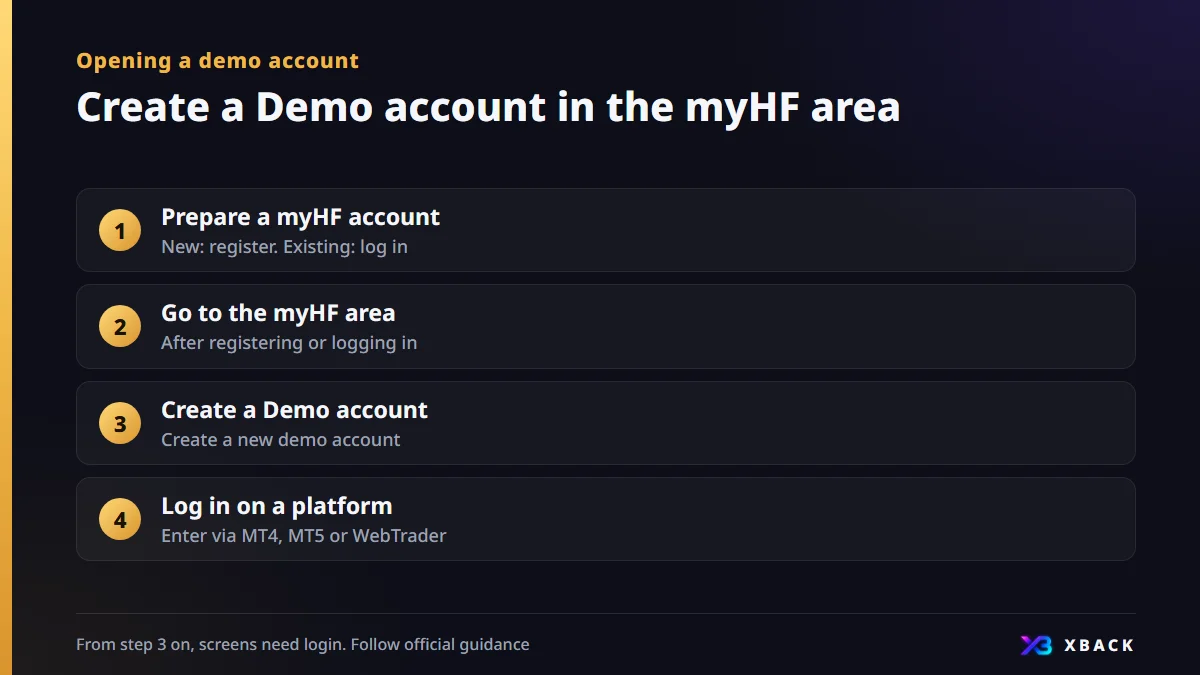
HFM's official demo account page has separate guidance for new and existing clients. Either way, you create the demo account from the myHF area.
- 1
Prepare a myHF account
New users register a myHF account on the official site. Existing users log in.
- 2
Go to the myHF area
After registering (or logging in), go to the myHF area.
- 3
Create a new Demo account
In the myHF area, create a new demo account.
- 4
Log in on a trading platform
Log in to the account you created on MT4, MT5 or WebTrader.
How to log in to a demo account on MT5
Once the demo account is ready, log in from MT5. Menu names follow the official MetaQuotes help (checked November 11, 2026).
- 1
Open the “File” menu
You can also open it from “Login to Trade Account” in the Navigator.
- 2
Select “Login to Trade Account”
A login window appears.
- 3
Enter Login, Password and Server
Enter your account number, password and the server to connect to.
- 4
Click “OK” to connect
Tick “Save password” and the terminal will connect automatically next time.
Type the server name exactly. Even one wrong character will stop you connecting.
Demo account vs live account
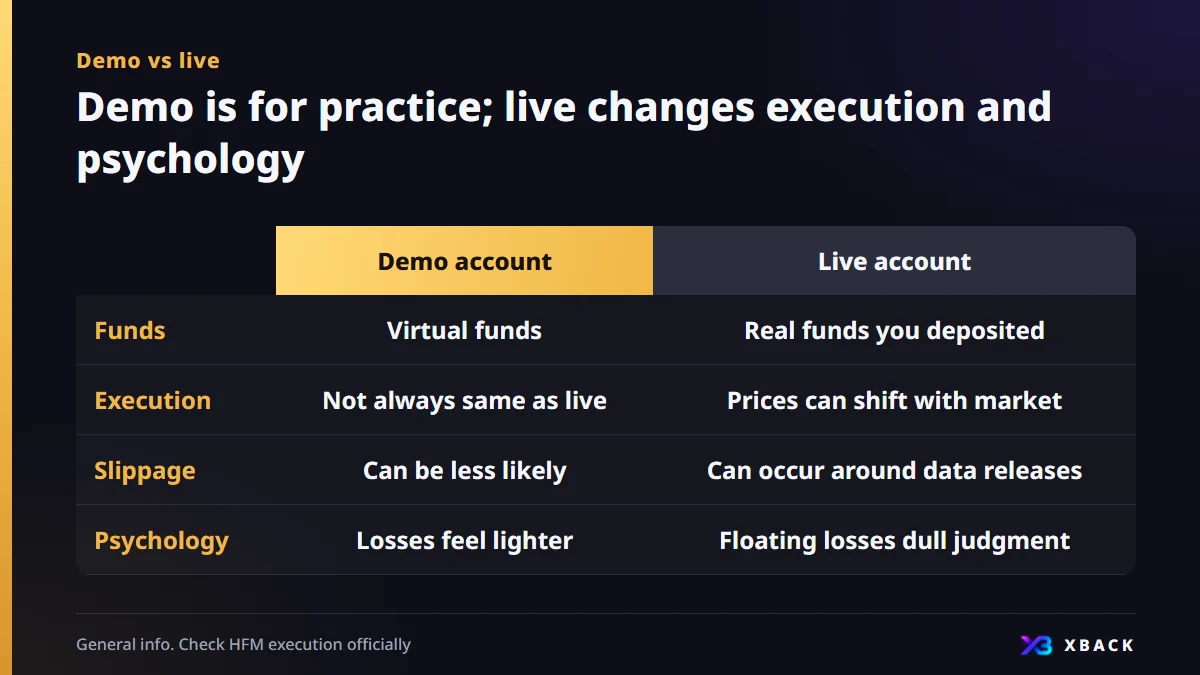
A demo account lets you get used to the platform with virtual money. Execution, slippage and how you feel about losses won't always match a live account.
| Item | Demo account | Live account |
|---|---|---|
| Funds | Virtual funds | Real funds you deposited |
| Execution | Not always the same as live | Execution prices can shift with market conditions |
| Slippage | Can be less likely to occur | Can occur, for example around data releases |
| Psychology | Hard to feel the weight of losses | Judgment tends to dull during floating losses |
For more on the differences and when to switch, see Demo vs live accounts in overseas FX.
How the HFM demo contest account differs
HFM also runs a monthly “Virtual to Real” contest where traders compete on return using demo accounts. The contest account, though, works differently from a regular practice demo.
| Item | Regular demo account | Contest demo account |
|---|---|---|
| Virtual funds | Up to 100,000 USD | 10,000 USD |
| How long it lasts | Described as unlimited use | Archived at month end; open a new one next month |
| What you need | A myHF account | A trading account with fully approved verification |
Contest accounts use fixed 1:200 leverage. The top three win trading bonuses of 2,000, 1,000 and 500 USD, but withdrawing comes with trading conditions. Details are on our HFM demo contest page.
Before moving to a live account
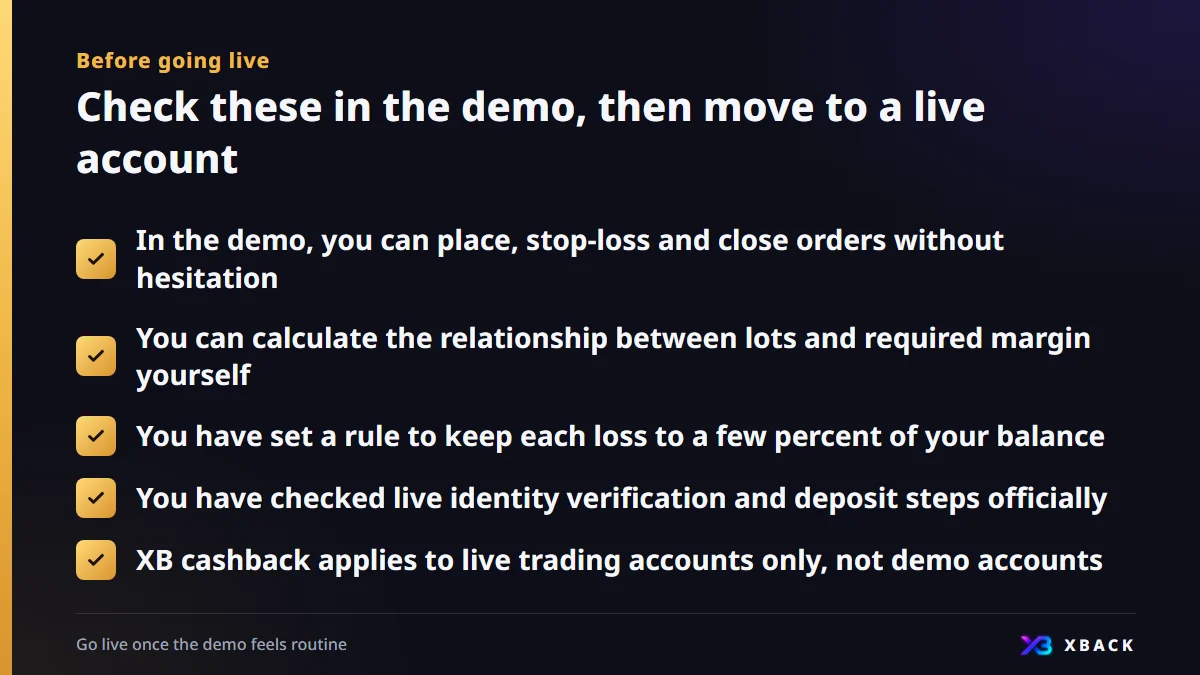
- In the demo, you can place, stop-loss and close orders without hesitation
- You can calculate the relationship between lots and required margin yourself
- You have set a rule to keep each loss to a few percent of your balance
- You have checked the live account identity verification and deposit steps in the official guidance
- XB cashback applies to live trading accounts only, not demo accounts
Execution and spreads feel different once you go live. Start your first live trades with small lots. The account opening flow is covered in HFM account opening steps.
See the live account opening steps and what to watch for when signing up through XB.
View the HFM account opening pageFAQ
Q.Where do I create an HFM demo account?
According to HFM's demo account page, new users register a myHF account and then create a Demo account in the myHF area. Existing users log in to myHF and create one there.
Q.Does an HFM demo account expire?
HFM's demo account page says “unlimited use”. The one that expires is the demo contest account, which is archived at the end of each month.
Q.How much virtual money does an HFM demo account have?
HFM's demo account page describes a “virtual opening balance of up to 100,000 USD”. Demo contest accounts start with 10,000 USD.
Q.Can I use an HFM demo account on MT5?
Yes. HFM's demo account page says you can trade on MT4, MT5 and WebTrader. In MT5, log in from “File” → “Login to Trade Account”.
Q.Can I receive XB cashback on a demo account?
No. Cashback applies to HFM's live trading accounts, such as Premium and KATANA, not demo accounts.
Sources
- HFM Demo Trading Account (official, Japanese) (checked 2026-11-11)
- HFM “Virtual to Real” Demo Contest (official, Japanese) (checked 2026-11-11)
- HFM Demo Contest Terms and Conditions (HF Markets (SV) Ltd, English) (checked 2026-10-28)
- MetaQuotes MT5 Help (Logging in to an account, Japanese) (checked 2026-11-11)

This article is for information purposes only and is not investment advice. Conditions may change, so please check each broker's official page for the latest information. Offshore FX and CFD trading carries a risk of losses exceeding your principal.