Offshore Forex 2FA and Account Takeover Protection: Spotting Scams
Are you worried about offshore forex account takeovers and phishing scams?
In short, there are three points: stop reusing passwords, turn on two-factor authentication, and open the login page from your own bookmark.
This article covers the difference between the two logins, how to choose authentication, how to spot scams, and what to do if you suspect a takeover.
Key takeaways
- Offshore forex has two logins, the client area and the trading account, and each needs a different password.
- Prioritize an authenticator app for two-factor authentication, and open login pages from a bookmark to avoid phishing.
- XB never asks for your account password or authentication code. If you suspect a takeover, change your passwords first.
In short: protect your account with authentication, URLs and passwords
- Use a different password for each service
- Turn on two-factor authentication with an authenticator app
- Open the login page from a bookmark, not from search results or an email link
- Treat any message asking for your account password or authentication code as a scam
Offshore forex has two logins
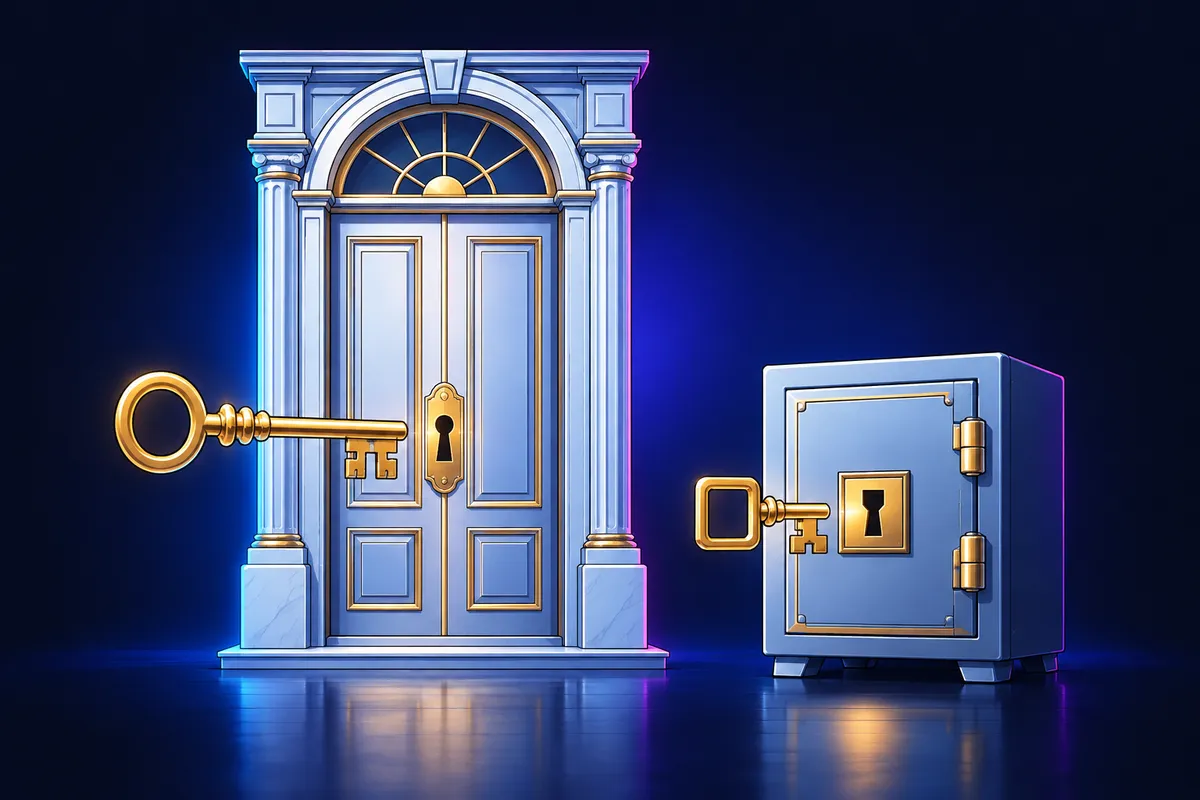
With offshore forex, it is common for brokers to have separate logins for the client area and the trading account. Keep in mind from the start that there are two things to protect.
| Type | Main use | Risk if leaked |
|---|---|---|
| Client area (client portal) | Deposits, withdrawals, account opening and managing personal details | Your withdrawal destination could be changed or funds moved |
| Trading account (MT5, etc.) | Placing and closing orders, running EAs | Unauthorized trades or closing of your positions |
Stop reusing passwords
Some attacks take an ID and password leaked from another service and try them on other sites. If you reuse them, a leak in one place can reach your account.
- Use different passwords for the client area, MT5 and your email address
- Prioritize length and use a hard-to-guess string of 12 or more characters
- Do not use information others can guess, such as a birthday or phone number
- Store them in a password manager rather than trying to remember them all
A password manager is a tool that generates and stores strong passwords for you. Protect the manager itself with a long passphrase and two-factor authentication.
Choosing two-factor authentication and backup codes
Two-factor authentication asks for one more confirmation in addition to your password. Even if your password leaks, it becomes harder for someone to get in right away.
| Method | Features | Notes |
|---|---|---|
| Authenticator app | Generates numeric codes on your device. Less affected by connectivity | Check the transfer steps before changing phones |
| SMS | Sent to your phone number. Easy to set up | SIM hijacking or a number change can leave you unable to receive codes |
How to spot phishing scams
Phishing leads you to a fake page that looks just like the real one and has you enter your ID and password. Since it is hard to tell by appearance, it helps to decide your entry point in advance.
- Open login pages from a bookmark you registered yourself
- Check the domain in the address bar one character at a time
- Do not log in from links in emails or social media
- Be suspicious of messages that stoke anxiety with words like "urgent" or "frozen"
An example of being led to a fake site from a search ad
- A fake site that looks just like the real one can appear in ads at the top of search results
- When you come in from search, choose a link that is not marked as an ad
- Check whether the address has unfamiliar strings or extra words mixed in
- Before entering anything, check the domain itself, not the padlock icon
- If something feels off, close the tab without entering anything
Scams posing as support or cashback operators
Some scammers approach you on social media or messaging apps, posing as broker support or a rebate service operator. They try to get information from you with reasons such as checking your account or fixing a problem.
- Never tell anyone your account password or authentication code
- Do not open links in DMs you receive, and contact the official support channel yourself
- Ignore pitches such as "grow your funds a lot" or "large returns"
- Do not agree to screen sharing or remote-access requests
XB never asks for your account password or authentication code
XB will never ask for your account password, investor password or authentication code. If someone does, they are impersonating us. We accept contact only through the official LINE channel.
MT5 master password and investor password
MT5 has two kinds of passwords with different permissions. Using them for the right purposes can limit the damage if one leaks.
| Type | What it can do | When to use it |
|---|---|---|
| Master password | All operations, including placing and closing orders and changing settings | When you trade yourself. Do not give it to anyone |
| Investor password | View-only access to balance and history. Cannot place orders | For sharing results or view-only checks |
Check notifications to notice problems early
The earlier you notice a takeover, the smaller the damage. Make a habit of setting up notifications and checking regularly.
- Set up login notifications and withdrawal destination change notifications
- Check right away if you get a login notice you do not recognize
- About once a month, review your registered withdrawal destinations and contact details
- Turn on two-factor authentication for the email address that receives notifications, too
5 steps if you think your account was taken over

If you notice trades you do not recognize or a login notice, deal with it in order and stay calm. Secure your accounts first, then check what happened.
- 1
Change your passwords
Change both the client area and MT5 passwords to new ones. Change your email password, too.
- 2
Set up two-factor authentication again
Register your authenticator app again, invalidate old backup codes, and store new ones.
- 3
Contact the broker's support
Explain the situation through the contact channel listed on the official site. Do not use contact details from emails or DMs.
- 4
Check your withdrawal destination and registered details
Check that your withdrawal destination, contact details and registered phone number have not been changed without your consent.
- 5
Record your trade history
Record dates and screens to use when explaining to support. Do not publish images that show your account number or balance.
How security relates to cashback
Receiving cashback also involves member registration and checking account information. Phishing often arrives disguised as a notice about returns.
Return amounts are not yet confirmed, and we will post them on each broker's page at launch. For any message about returns, confirm it comes through a channel listed in the official guide before responding.
Estimate a guide to returns from your trading volume. Once your account is secure, check your trading costs as well.
Estimate your cashbackFAQ
Q.Which is better for offshore forex two-factor authentication, an authenticator app or SMS?
Where you have a choice, prioritizing an authenticator app is the common approach. SMS is easy to set up but can be affected by number changes or SIM hijacking. Available methods differ by broker.
Q.How can I spot a forex phishing scam?
It is hard to judge by appearance, so the habit of opening pages from a bookmark works well. Do not log in from links in emails or DMs, and check the domain in the address bar. Be careful with messages that stoke anxiety, too.
Q.Is it safe to share my MT5 investor password with someone?
The investor password is view-only and cannot place orders. However, balance and history can be seen. It is different from the master password, but limit who you give it to people you trust.
Q.What should I do first if I suspect a takeover?
First change your passwords and set up two-factor authentication again. Then contact the broker's support through the official channel and check that your withdrawal destination has not changed.

This article is for information purposes only and is not investment advice. Conditions may change, so please check each broker's official page for the latest information. Offshore FX and CFD trading carries a risk of losses exceeding your principal.