Exness Unlimited Leverage: Conditions and Max Leverage by Equity
Wondering whether anyone can use Exness unlimited leverage, and what the conditions are?
We checked the official Help Center (Japanese) on November 13, 2026. Unlimited leverage comes with conditions, such as equity below 5,000 USD, and the cap goes down as equity grows.
This article sorts out the conditions, the cap by equity, the hours when leverage is restricted, and the change steps, as the official pages describe them. We could not check the pages on exness.com itself.
Key takeaways
- Exness unlimited leverage has conditions: equity below 5,000 USD, plus at least 10 closed orders totaling at least 5 lots.
- In the official table, max leverage goes down from 1:2000 to 1:1000 and 1:500 as equity grows.
- Around major releases and market closes, HMR raises the margin requirement, and FX is limited to 1:200.
Summary: Exness unlimited leverage has conditions
- Unlimited is not available by default. You need equity below 5,000 USD, plus at least 10 closed orders totaling at least 5 lots (at least 500 cent lots for Cent accounts)
- The covered instruments are worded differently inside the official site. The unlimited article lists FX, gold and silver, while product pages and the change notice also say "unlimited" for crypto, indices and more
- The cap goes down as equity grows. In the official table it is 1:2000 from 5,000 USD and 1:500 from 100,000 USD
- Around major economic releases and before and after weekend market closes, the margin requirement is raised and leverage drops (HMR)
- Stop out is stated as 0% officially. Margin call is 60% for Standard-type and 30% for Pro-type accounts, so it differs by account line
Conditions for using unlimited leverage
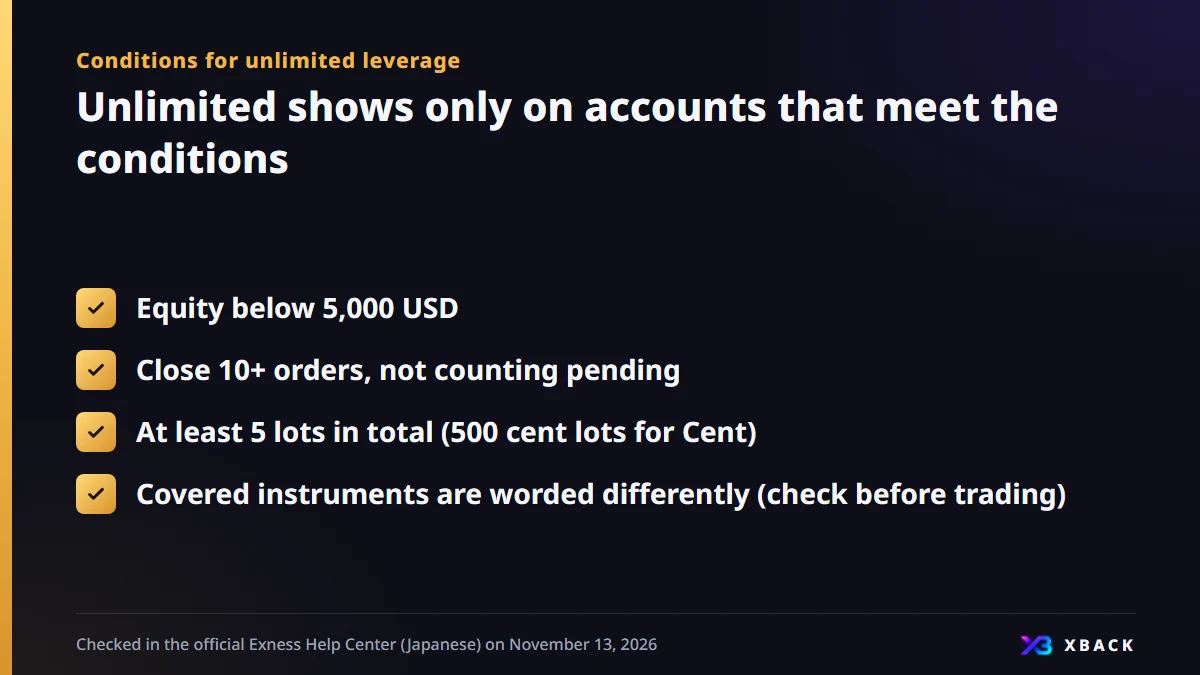
- 1
Equity below 5,000 USD
The equity of your trading account must be below 5,000 USD.
- 2
At least 10 closed orders
Close at least 10 orders, not counting pending orders.
- 3
At least 5 lots in total (500 cent lots for Cent)
Close trades so the total reaches at least 5 lots across all real trading accounts in your Personal Area.
- 4
"Unlimited" appears in the leverage settings
Once the trading volume and order conditions are met, it shows up in the setting options.
- The official help describes unlimited as "the maximum leverage available on all trading account types". However, it is meant for experienced traders and is not available by default
- The covered instruments are worded differently. The unlimited article lists FX majors and minors plus gold (XAU) and silver (XAG), while the change notice table and product pages also say "unlimited" for crypto, indices and more. We could not confirm which is current in the official help, so check in your Personal Area before trading
- On demo accounts, you can enable the unlimited option at any time. It actually applies only while equity is 4,999.99 USD or lower
- The lowest leverage setting is 1:2. You cannot turn leverage off
- On unlimited accounts, stop out protection may not be available
The period over which the 10 orders and 5 lots are counted is not stated in the official help (November 13, 2026). Apart from the mention of cent lots, we also could not find an explanation of how lots convert to currency units.
Max leverage by equity
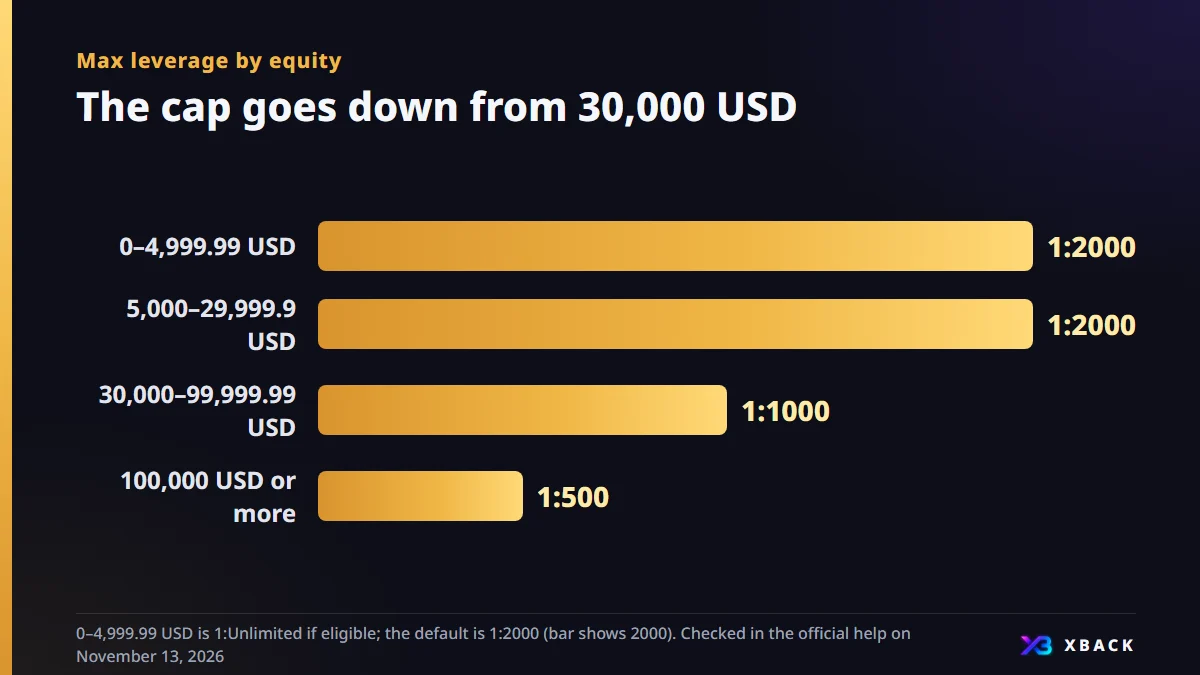
| Equity (USD) | Max leverage available |
|---|---|
| 0–4,999.99 | 1:Unlimited (if eligible) / 1:2000 (available by default) |
| 5,000–29,999.9 | 1:2000 |
| 30,000–99,999.99 | 1:1000 |
| 100,000 or more | 1:500 |
The official account type articles state the maximum leverage as "1:Unlimited" for all five accounts. In what we checked, "up to 1:2000" does not appear in the account articles, and the default in the table above is the basis.
On a trading account, you can choose your preferred maximum leverage at any time. The value actually applied may change with your balance, the instrument and periods of higher margin requirements.
Leverage and required margin by instrument group
The official help splits required margin into two methods. Floating margin is "lots × contract size ÷ leverage", so higher leverage means a smaller required margin. Fixed margin is "lots × contract size × margin rate" and is not affected by leverage.
| Instrument group | Official wording |
|---|---|
| FX exotics | Fixed required margin of 0.5–2% / fixed leverage of 1:200 to 1:50 |
| Gold (XAUUSD) | 1:Unlimited if conditions are met / high margin requirement of 1:200 to 1:1000 (0.1–0.5%) |
| BTCUSD | 1:Unlimited if conditions are met / high margin requirement of 1:200 to 1:400 (0.25–0.5%) |
| BTCJPY | Fixed required margin of 0.25% / fixed leverage of 1:400 |
| JP225 | 1:Unlimited if eligible / high margin requirement of 1:50 to 1:400 (0.25–2%) |
| Stocks | Fixed required margin. The margin rate figure could not be confirmed |
The official help also announces that some instruments will move from fixed to floating margin. After the change, your account's leverage setting applies, including unlimited where it applies.
| Group | Fixed leverage before | After the change (official table) | Planned date |
|---|---|---|---|
| Crypto (BTCUSD, etc.) | 400 | Unlimited | October 10, 2026 |
| Metals (XNIUSD, XCUUSD, etc.) | 50 or 100 | Unlimited | October 17, 2026 |
| Energies (XNGUSD, UKOIL, USOIL) | 20, 200, 2000 | Unlimited | October 17, 2026 |
| Indices (US30, JP225, etc.) | 400 | Unlimited | November 7, 2026 |
When leverage is restricted (HMR)
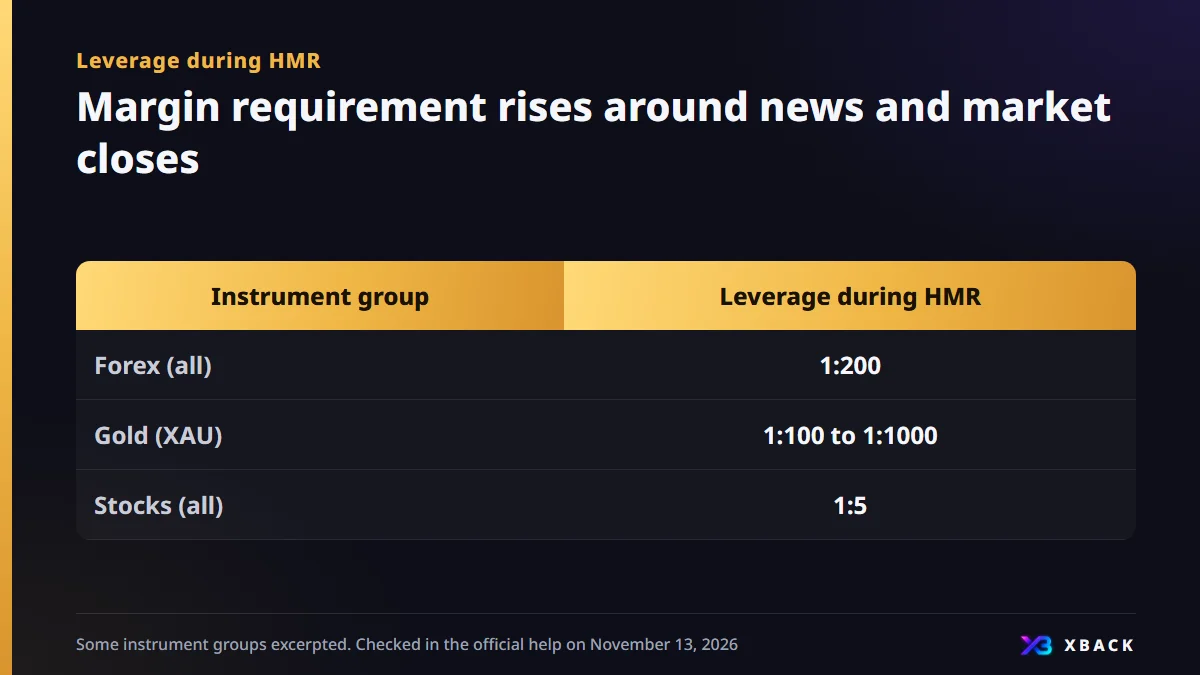
HMR raises the required margin during volatile periods and so limits your effective leverage. Even during HMR, if your account leverage is lower, that lower figure is used in the calculation.
| Instrument group | Leverage during HMR |
|---|---|
| Forex (all) | 1:200 (0.5%) |
| Gold (XAU) | 1:100 to 1:1000 (0.1–1%) |
| US stock indices (US30, USTEC, US500) | 1:50 to 1:100 (1–2%) |
| Stocks (all) | 1:5 (20%) |
| BTCUSD, ETHUSD, etc. | 1:200 to 1:400 (0.25–0.5%) |
- Major news: for most instruments, orders placed from 15 minutes before to 90 seconds after a high-impact release are covered
- Weekend close: for many instruments, from about 3 hours before the close to 1 hour after the market reopens
- Daily close: for gold and silver, from 30 minutes before the close to about 10 minutes after the reopen
- Holidays: there is no dedicated schedule. The official text says it applies before and after market closes, including weekends, holidays and daily closes
- Daylight saving time handling is not stated. HMR hours differ by instrument and may change
The official help says you can check HMR periods with the chart indicator in the Exness Terminal and the Exness Trade app. Check the full schedule in the official help.
How to change your Exness leverage
- 1
Log in to your Personal Area
Click the three-dot icon next to the trading account you chose.
- 2
Choose the maximum leverage
You can set it between 1:2 and 1:Unlimited in the dropdown. Custom leverage is also available.
- 3
Go from Continue to Confirm
The setting is saved once you reach the confirmation.
If you choose a setting higher than what is currently available to you, the actual effect is held at the lower level. You can check the leverage actually applied in your Personal Area.
Required margin and risk at high leverage
Required margin is "trade value ÷ leverage". The figures below use hypothetical conditions for explanation, not real rates. Suppose 1 lot (100,000 units) of EURUSD at a rate of 1.1000. The trade value is 110,000 USD.
| Leverage | Formula | Required margin |
|---|---|---|
| 1:2000 | 110,000 ÷ 2,000 | 55 USD |
| 1:200 | 110,000 ÷ 200 | 550 USD |
Your profit or loss from a price move, on the other hand, does not depend on leverage. One lot of EURUSD is worth 10 USD per pip, so a 10-pip move is 100 USD whether you are at 1:2000 or 1:200.
What high leverage changes is how much you can open. With only 55 USD in the account, one lot at 1:2000 takes your equity close to zero after a 5.5-pip move against you.
- Stop out is 0% for all account types in the official wording. Positions are closed automatically only when the margin level reaches 0% or equity reaches zero. 0% is not available in some countries
- For registration with the KE and Jordan entities, stop out is 20%. Stop out protection is not available
- Negative balance protection is described as a mechanism so you do not lose more than you deposited
- High leverage means a smaller required margin, but equity drops with a small price move. Size your lots with room to spare
For how stop outs are triggered, see margin level calculation. For zero cut, see What Is Zero Cut?, and for picking a leverage level, see how much leverage to use.
Check account types, deposits and withdrawals, and the account opening flow on the Exness broker page.
See Exness detailsFAQ
Q.What are the conditions for Exness unlimited leverage?
Equity must be below 5,000 USD, and you must close at least 10 orders, not counting pending orders, totaling at least 5 lots (at least 500 cent lots for Cent). The covered instruments are worded differently inside the official site: the unlimited article lists FX majors and minors plus gold and silver, while product pages also list crypto and indices. Check the current scope in your Personal Area before trading (checked November 13, 2026).
Q.What is the maximum leverage at Exness?
In the official table, it is 1:Unlimited (if eligible) or 1:2000 for equity of 0–4,999.99 USD, 1:2000 from 5,000 USD, 1:1000 from 30,000 USD and 1:500 from 100,000 USD. For KE it is 1:400.
Q.What happens to stop out when I use unlimited leverage at Exness?
Stop out is stated as 0% officially, but stop out protection may not be available on unlimited accounts. For registration with the KE and Jordan entities, it is 20%.
Q.Where can I change my Exness leverage?
In your Personal Area, choose the maximum leverage from the three-dot icon next to the trading account. You can set it between 1:2 and 1:Unlimited, or use a custom value. Unlimited appears after you meet the conditions.
Sources
- Exness Help Center "Leverage" (checked 2026-11-13)
- Exness Help Center "Trading account settings" (checked 2026-11-13)
- Exness Help Center "Unlimited leverage" (checked 2026-11-13)
- Exness Help Center "Leverage increase for some instruments" (checked 2026-11-13)
- Exness Help Center "Required margin" (checked 2026-11-13)
- Exness Help Center "Increased margin requirement (HMR)" (checked 2026-11-13)
- Exness Help Center "FX (majors, minors, exotics)" (checked 2026-11-13)
- Exness Help Center "Gold (XAUUSD)" (checked 2026-11-13)
- Exness Help Center "BTCUSD and BTCJPY" (checked 2026-11-13)
- Exness Help Center "JP225" (checked 2026-11-13)
- Exness Help Center "Stop out" (checked 2026-11-13)
- Exness Help Center "Margin call and stop out" (checked 2026-11-13)
- Exness Help Center "Negative balance protection" (checked 2026-11-13)

This article is for information purposes only and is not investment advice. Conditions may change, so please check each broker's official page for the latest information. Offshore FX and CFD trading carries a risk of losses exceeding your principal.