DecodeFX Leverage and Stop-Out Level: Max 1:2000 and What Is Stated
What is DecodeFX's leverage, and at what level are positions closed? The official wording is not easy to follow.
On November 17, 2026, we checked the official pages. Maximum leverage is 1:2000 on STD, PRO and CENT, the accounts listed officially. The stop-out level is stated as both 30% and 50%, and the zero-cut wording differs within the official pages.
This article covers leverage by account and by symbol, the stop-out level and what to check about zero-cut.
Key takeaways
- DecodeFX's maximum leverage is 1:2000 on STD, PRO and CENT, and each symbol has its own separate limit.
- The stop-out is 30% on the product page and 50% in the English FAQ and terms, and the margin call is 100% in the terms.
- Zero-cut wording differs within the official pages, and it reads as requiring an application or a case-by-case decision, not automatic.
Summary: DecodeFX leverage is up to 1:2000, but the stop-out level is stated in different ways
- Maximum leverage is 1:2000 on all three accounts (STD, PRO and CENT). Each symbol has its own separate limit
- We could not confirm any leverage tiers based on equity on the public pages
- The margin call is 100% in the terms (PDS). The stop-out is 30% in the product page table, but 50% in the English FAQ and the terms
- The terms say the company can change these levels at any time
- Zero-cut (negative balance protection): the Japanese page says an application is required, the English page says it is provided, and the English FAQ says it is decided case by case, not automatic
- We could not confirm how to change leverage on the public pages
DecodeFX leverage by account type: comparing STD, PRO and CENT
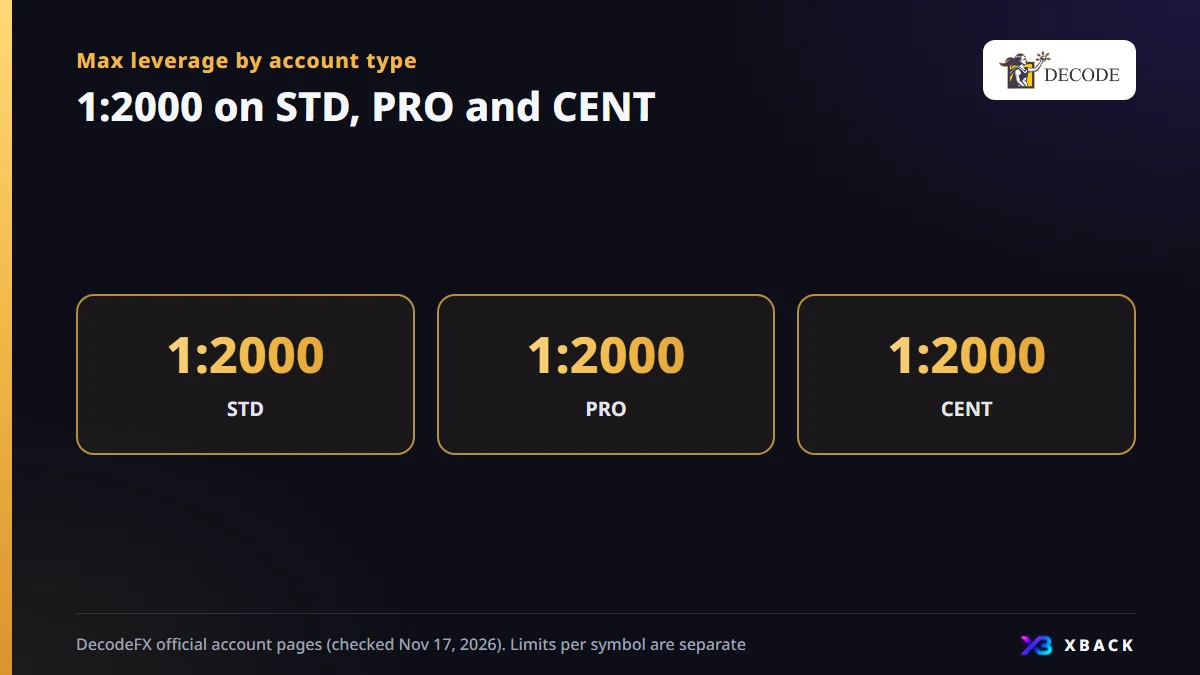
On the official account pages, all three types (STD, PRO and CENT) have a maximum of 1:2000. The Japanese page says up to 2,000x on major currency pairs.
| Account | Maximum leverage | Minimum deposit |
|---|---|---|
| STD | 1:2000 | 100 USD |
| PRO | 1:2000 | 100 USD |
| CENT | 1:2000 | 1 USD |
Our related column "How to Choose a DecodeFX Account Type" compares the accounts. Leverage does not change by account, but it does change by symbol.
DecodeFX leverage by symbol: limits for gold, indices and crypto
The 1:2000 maximum applies only to some symbols. The official Japanese product pages list the maximum leverage for each symbol.
| Product | Maximum leverage (product page) |
|---|---|
| Forex (major pairs and yen crosses, etc.) | 2,000 |
| Forex (SGD pairs, USD/CNH) | SGD pairs 200, USD/CNH 100 |
| Forex (NOK, SEK and MXN pairs) | 20 |
| Gold and silver (XAU/USD, XAU/EUR, XAG/USD) | 2,000 |
| Palladium and platinum (XPD, XPT) | 100 |
| Stock indices (JP225, SPX500, NAS100, etc.) | 100 |
| Crude oil (USOIL, UKOIL) | 200 |
| Crypto (BTCUSD, ETHUSD) | 100 |
| Crypto (LTC, XRP and others) | 50 |
| Stock CFDs | 20 |
None of the official pages we checked mentions tiers where leverage falls as equity (account balance) grows. We cannot say there are none.
The terms (T&C 10.4) say the company can change margin rates and stop-out levels in response to market moves and other factors. Our related column "How to Choose Forex Leverage" may also help.
DecodeFX margin level and stop-out: margin call and stop-out
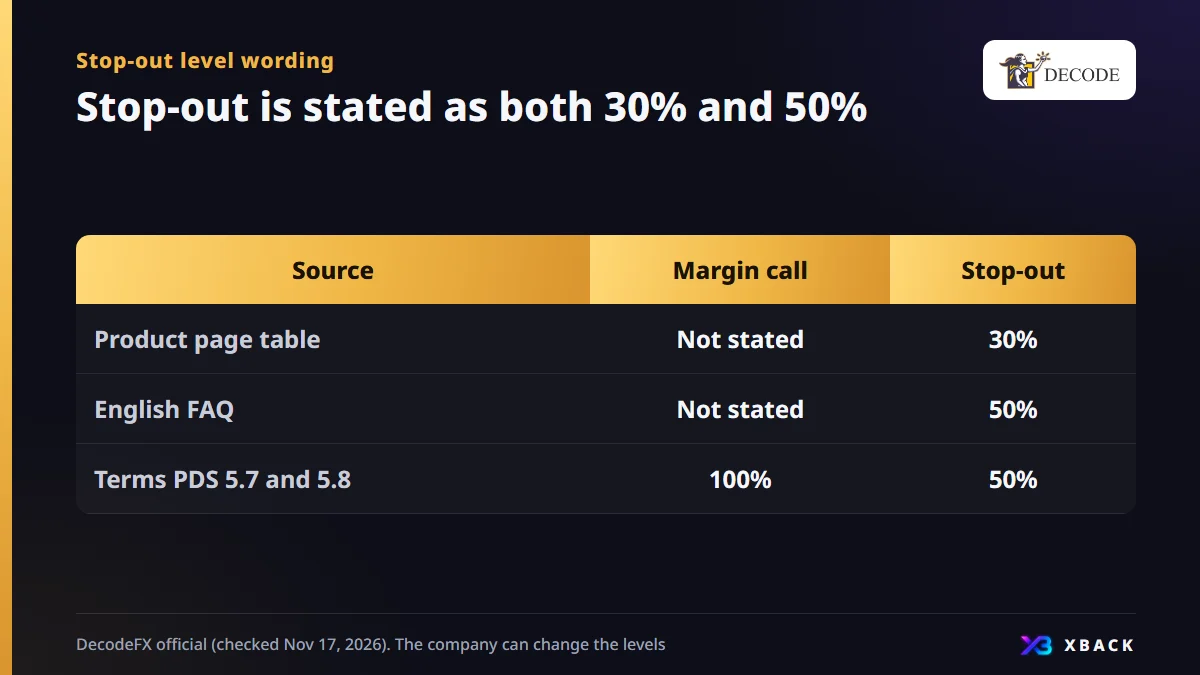
Margin level is equity divided by used margin. The official FAQ explains it as "(equity ÷ used margin) × 100", and says a low level can trigger a margin call or stop-out.
| Source | Margin call | Stop-out |
|---|---|---|
| Product page table (Japanese) | Not stated | 30% |
| English FAQ "What is a stop-out level?" | Not stated | 50% |
| Terms PDS 5.7 and 5.8 (dated June 21, 2021) | 100% | 50% (liquidation level) |
The public official pages do not settle whether 30% or 50% applies to your account. The terms say the applicable level is set in tables by trading platform and product.
The next calculation is an example XB made with hypothetical figures. It is not an official example, and the actual required margin depends on the symbol's contract specifications. It assumes a position with a notional value of $100,000.
| Leverage | Required margin | Margin level at $1,000 equity |
|---|---|---|
| 1:2000 | $50 (100,000 ÷ 2,000) | 2,000% |
| 1:100 | $1,000 (100,000 ÷ 100) | 100% |
If the required margin is $50, a 50% stop-out is around $25 of equity and 30% is around $15. The price move you can withstand is small, so this assumes a lot size with plenty of room.
The terms (PDS) say the company has no obligation to liquidate positions and ask you to manage your own margin without relying on liquidation. Losses from liquidation are recorded on the account, and you may need to add funds.
Does DecodeFX have zero-cut (negative balance protection)? Differences in the official wording
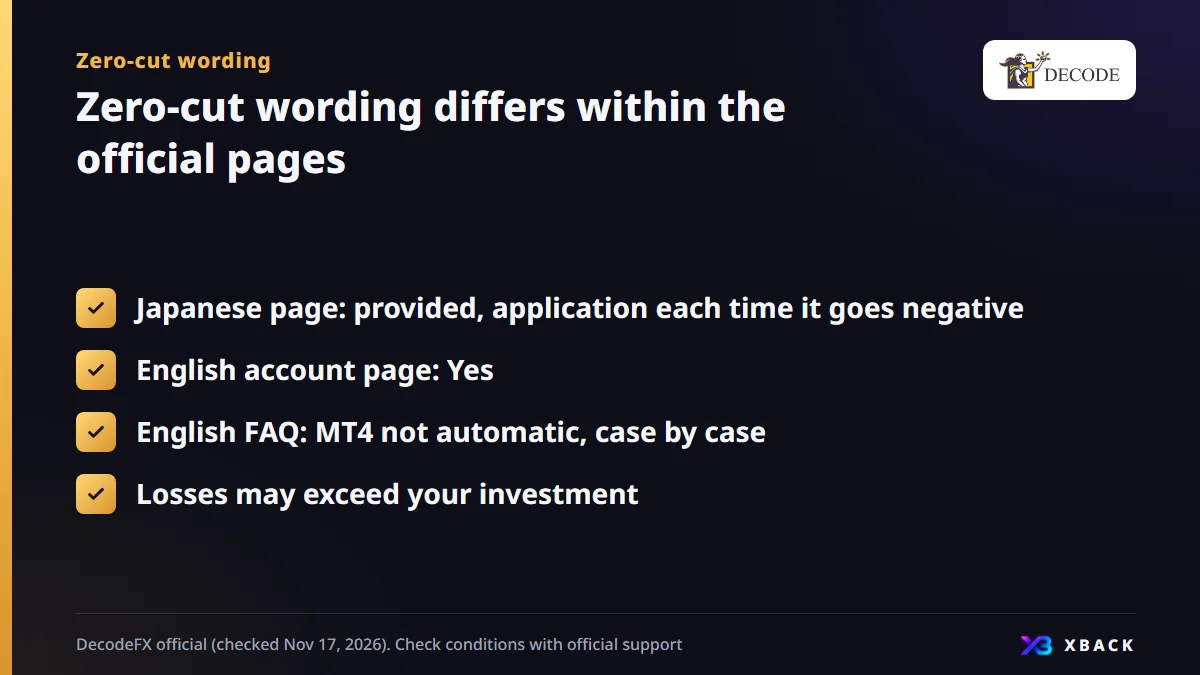
Zero-cut is worded differently in three official places. The Japanese account page says it is provided and that an application is required each time the account goes negative.
| Source | Official wording |
|---|---|
| Japanese account page FAQ | Provided. An application is required each time the account goes negative |
| English (India) account page FAQ | Yes. Adverse moves cannot take the account below zero |
| English FAQ (Do you provide negative balance protection?) | Not automatically provided on MT4 accounts; decided case by case |
- Taking all three together, the conservative reading is that it is not automatic and depends on an application or a case-by-case decision
- The official Japanese and English pages also carry a risk notice that losses can exceed the initial investment
- Before opening an account, ask official support about the conditions and where to apply
For how zero-cut works in general, see our related column "What Is Zero-Cut?". The basics of margin level and stop-out are in "How Margin Level and Stop-Out Work".
Can you change DecodeFX leverage? How to check
The public pages we checked do not describe how to change leverage on an existing account. From the official public information, we also cannot tell whether a change is possible.
What we could confirm is the demo account in the English FAQ. It says you can choose settings such as currency, leverage and starting balance at registration. This is separate from changing a live account.
- 1
Check the account and symbol limits
Try a demo account
- 2
Ask official support whether it can be changed
Set your lot size while watching margin level
- 3
STD, PRO and CENT all go up to 1:2000. Check the limit for the symbol you trade in the product page tables
The English FAQ says you can choose leverage when registering a demo account. Use it to get a feel for required margin
- 4
The steps for changing leverage on a live account are not published. Ask support whether it is possible and how
The stop-out is stated as both 30% and 50%. Trade with plenty of margin
DecodeFX leverage and XB cashback
XB cashback is a rebate based on trading volume. It does not guarantee high leverage or safety. Rebate amounts are on the broker page.
- High leverage magnifies losses as well as profits
- Avoid increasing your lot size because of the cashback
- For changing the link on an existing account, check the guidance on the DecodeFX broker page
Eligible accounts and payout conditions can be checked on the broker page.
See the DecodeFX broker pageFAQ
Q.What is DecodeFX's maximum leverage?
On the account pages, STD, PRO and CENT all have a maximum of 1:2000. By symbol: 2,000 for gold and silver, 100 for stock indices, 200 for crude oil, 100 for BTC and ETH, and 20 for stocks (checked on November 17, 2026).
Q.What is the DecodeFX stop-out level (loss cut)?
The official wording differs. The product page table says 30%, while the English FAQ and the terms (PDS) say 50%. The margin call is 100% in the terms. The terms say the company can change the levels.
Q.How is DecodeFX margin level calculated?
The official FAQ says "(equity ÷ used margin) × 100". With $1,000 equity and $50 required margin, it is 2,000%. This is an XB calculation example, and the actual value depends on the symbol's contract specifications.
Q.Does DecodeFX have zero-cut?
The official wording differs. The Japanese page says "provided, with an application each time the account goes negative", the English page says "Yes", and the English FAQ says "not automatic on MT4 accounts, decided case by case". Check the conditions with official support.
Q.Can I change leverage at DecodeFX?
The public official pages we checked do not describe how to change leverage on a live account. For demo accounts, the English FAQ says you can choose leverage at registration. Ask official support whether a change is possible.
Sources
- DecodeFX official page "Trading Accounts" (Japanese) (checked 2026-11-17)
- DecodeFX official page "Trading Accounts" (English (India)) (checked 2026-11-17)
- DecodeFX official page "FAQ (Funds)" (English (India)) (checked 2026-11-17)
- DecodeFX official page "Forex Trading" (Japanese) (checked 2026-11-17)
- DecodeFX official page "Precious Metals" (Japanese) (checked 2026-11-17)
- DecodeFX official page "Stock Indices" (Japanese) (checked 2026-11-17)
- DecodeFX official page "Energies" (Japanese) (checked 2026-11-17)
- DecodeFX official page "Crypto" (Japanese) (checked 2026-11-17)
- DecodeFX official page "Stocks" (Japanese) (checked 2026-11-17)
- Decode Global Limited Product Disclosure Statement (dated June 21, 2021, English) (checked 2026-11-17)
- Decode Global Limited Terms and Conditions (dated June 21, 2021, English) (checked 2026-11-17)

This article is for information purposes only and is not investment advice. Conditions may change, so please check each broker's official page for the latest information. Offshore FX and CFD trading carries a risk of losses exceeding your principal.